
SaaS Customer Onboarding Automation: Improve Activation Without Adding More Staff
Help SaaS customers reach value faster with automated setup, import validation, activation tracking, and behaviour-based follow-ups.
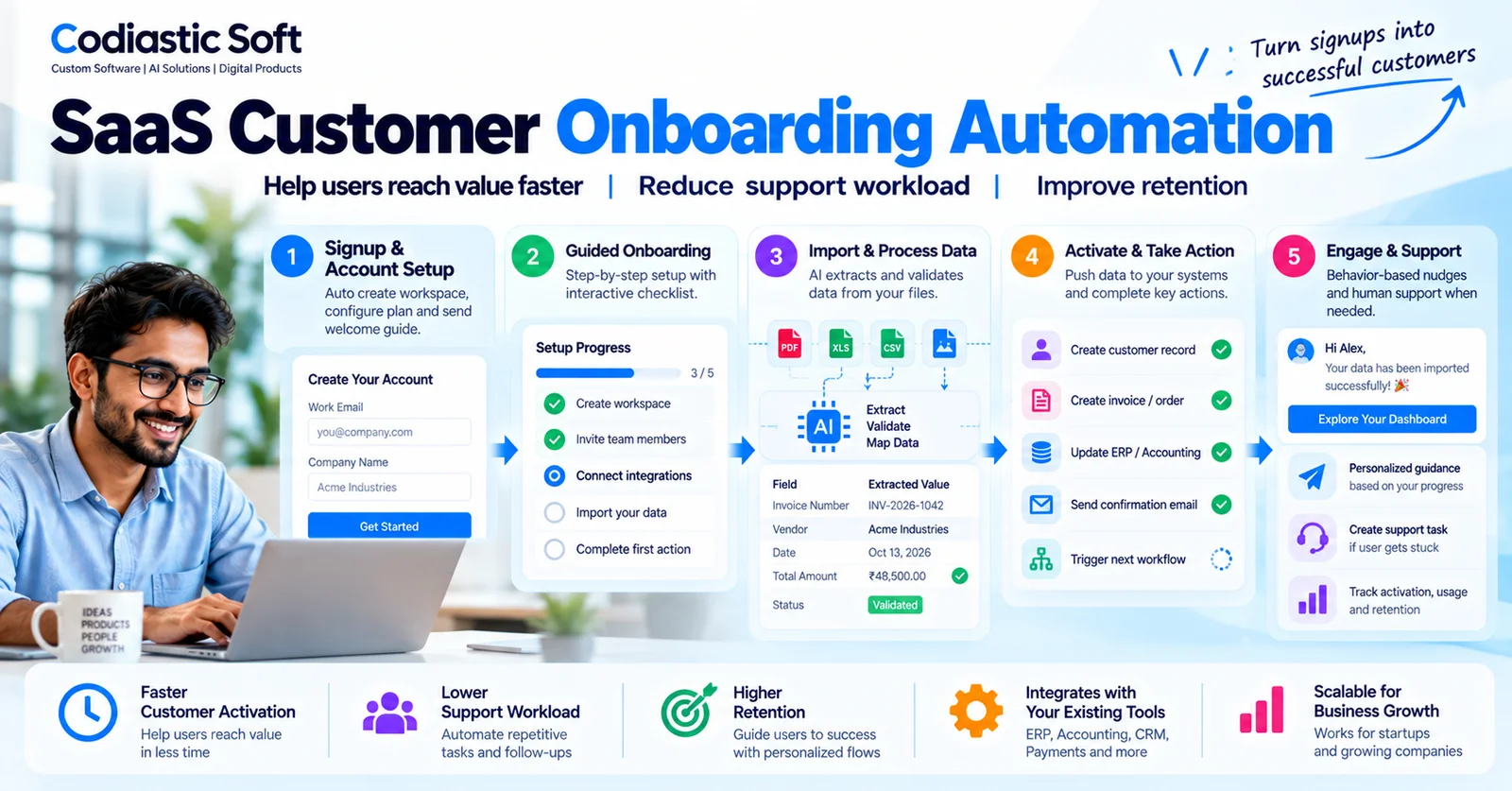
SaaS Customer Onboarding Automation: Improve Activation Without Adding More Staff
Getting a new customer to sign up for your SaaS product is only the beginning.
After registration, customers may need to configure their workspace, import existing data, invite colleagues, connect integrations, set preferences, or complete other steps before they can experience the product's value.
When these steps are confusing or time-consuming, users can become inactive before they develop a habit of using the product.
Customer success teams then spend hours sending reminders, answering repetitive questions, checking setup progress, and helping customers complete the same tasks.
For a growing SaaS company, this creates an important question:
How can you help more customers complete onboarding successfully without increasing your support workload at the same rate?
The answer is not simply to send more automated emails. Effective onboarding automation combines clear product design, reliable workflows, user-behaviour tracking, contextual assistance, and timely human intervention.
In this guide, we'll explain how SaaS businesses can build a practical onboarding automation system, which workflows to prioritize, what to measure, and how to avoid common mistakes.
What Is SaaS Customer Onboarding Automation?
SaaS customer onboarding automation uses software workflows to guide new customers from registration to meaningful product usage.
Depending on the product, the system can automatically create workspaces, configure accounts, validate imported data, track setup progress, recommend the next action, send contextual reminders, and alert customer success teams when a customer needs help.
For example, imagine a project management SaaS product.
A customer creates an account but does not invite any team members or create a project.
Instead of sending the same generic welcome email to everyone, the application can recognize that the account has not completed its first meaningful action.
It can then display a relevant in-app guide, offer a sample project, or send a helpful reminder. If the account remains blocked, the system can notify a customer success representative.
The purpose is to help customers reach value sooner—not to automate communication for its own sake.
Why SaaS Onboarding Often Fails
1. Too Many Steps Before the Product Becomes Useful
Some products ask users to complete extensive forms, configure settings, invite colleagues, and connect integrations before showing any meaningful benefit.
Every unnecessary step creates another opportunity for a user to abandon setup.
Review whether each onboarding requirement is necessary immediately or can be completed later.
2. Customers Get Stuck During Data Import
Data migration is a common source of friction in business software.
Customers may upload spreadsheets with missing columns, invalid dates, duplicate records, or unsupported formats.
If the system simply rejects the file without explaining what needs to be corrected, onboarding can stall.
A better workflow validates the file, identifies specific errors, and provides a clear correction report before the customer tries again.
3. Generic Emails Do Not Address the Actual Problem
A fixed sequence of welcome emails may be easy to configure, but it does not account for the user's progress.
A customer who has already connected an integration does not need another message explaining how to connect it.
A customer who has not completed the initial setup may need direct guidance instead.
Useful automation responds to meaningful behaviour rather than relying only on the number of days since signup.
4. Customer Success Teams Lack Visibility
Without clear activation tracking, teams may know that a customer registered but not whether they completed setup, imported data, invited colleagues, or used the product's main feature.
This makes it difficult to distinguish healthy accounts from customers who are quietly becoming inactive.
5. Product and Support Workflows Are Disconnected
Onboarding information may be spread across application logs, CRM records, support tickets, emails, and analytics dashboards.
Without a consistent account status and reliable integrations, teams must manually assemble the context needed to help each customer.
A centralized onboarding workflow can make that information easier to access.
Step 1: Define the Activation Event
Before building automation, determine what it means for a customer to experience the product's core value.
A login is not necessarily activation.
For a project management application, activation might mean creating a project and assigning a task.
For an accounting platform, it could mean importing records and completing the first reconciliation.
For an appointment booking product, it might mean publishing availability and receiving the first booking.
Choose one primary activation event, supported by a small number of useful milestones.
The exact event should reflect the product's value proposition and should be validated against real customer behaviour.
Step 2: Map the Onboarding Journey
Document the steps between signup and activation.
A typical B2B SaaS journey might look like this:
Account registration.
Workspace creation.
Company or user configuration.
Data import or initial setup.
Integration connection, where required.
First meaningful product action.
Invitation of colleagues or broader adoption.
Not every product requires all these steps.
The purpose of the journey map is to identify where users struggle and which steps can be simplified, automated, or supported with contextual guidance.
Step 3: Automate Account Setup
When a customer completes registration or a subscription purchase, the system can create the necessary workspace and initialize default settings.
Depending on the product, automation may also:
Assign the appropriate subscription plan.
Apply role-based permissions.
Create default folders or sample records.
Send account-access instructions.
Configure an initial onboarding checklist.
Record the account's onboarding status.
These tasks reduce manual administration and help ensure that every account follows a consistent setup process.
However, retries must be handled safely. If an event is processed more than once, the application should not create duplicate workspaces or send repeated provisioning requests unnecessarily.
Step 4: Make Data Import Easier
For many B2B products, data import is one of the most important onboarding steps.
A good import workflow should do more than accept a CSV or spreadsheet.
It should explain the supported format, allow users to map columns, validate required fields, identify duplicates, and provide a clear summary of errors.
For example, if 850 records are valid and 150 contain errors, the application should explain which records failed and why, rather than forcing the user to start over.
Where appropriate, users should be able to correct the problematic records and retry safely.
This approach improves the customer experience while reducing repetitive support requests.
Step 5: Track Meaningful Product Activation
Implement event tracking for the actions that matter to the product's success.
Examples include:
Workspace successfully configured.
Data import completed.
First project or record created.
First integration connected.
First transaction or booking completed.
Additional team member invited.
Each event should be tied to the correct user and account.
Use the resulting information to identify onboarding stages and detect accounts that are stuck.
Avoid collecting unnecessary personal information. Track the minimum information required for product analytics and customer support, with appropriate access and retention controls.
Step 6: Trigger Contextual Assistance
Once the system knows the user's progress, it can provide more relevant help.
Examples include:
If setup is incomplete: Show the next required step inside the application.
If data import fails: Display the specific validation errors and instructions for correcting them.
If an integration is disconnected: Explain how to reconnect it and provide a clear recovery path.
If a customer completes activation: Offer guidance on the next useful capability rather than continuing basic onboarding reminders.
If an account remains blocked: Create a customer success task with the relevant context.
This is more effective than treating every new customer identically.
Step 7: Automate Follow-Ups Without Spamming Users
Automated messages should be triggered by meaningful states and events.
For example, a reminder might be sent when a customer begins setup but does not complete it.
However, the workflow should stop sending that reminder as soon as the required action is completed.
A good system should include:
Conditions for when a message is sent.
Conditions that cancel or suppress the message.
Frequency limits.
User communication preferences.
Retry and failure handling.
Logging of delivery and relevant outcomes.
The goal is to provide useful guidance at the right time—not to overwhelm users with messages.
Step 8: Escalate the Right Accounts to Human Support
Automation should handle predictable, repetitive tasks. It should not prevent customers from receiving human assistance when they need it.
Escalation rules may include repeated import failures, unsuccessful integration attempts, unresolved billing issues, or a high-value customer remaining blocked at a critical onboarding step.
When creating a customer success task, include the account's current stage, completed milestones, recent errors, and recommended next action.
This allows the support team to begin with useful context instead of asking customers to repeat information they have already provided.
A Practical Example: Automating B2B SaaS Onboarding
Consider a SaaS platform used by businesses to manage operational workflows.
A new customer signs up and selects a subscription plan.
The onboarding system creates the workspace, assigns the initial administrator role, and presents a guided setup checklist.
The customer uploads a spreadsheet. The system validates the columns and identifies missing information.
Instead of sending a generic error, the application produces a report showing the exact records that require correction.
After the customer fixes the file, the import succeeds. The system records the milestone and prompts the administrator to invite the relevant team members.
If the customer completes the primary workflow, onboarding moves to the next stage.
If the customer repeatedly encounters an integration failure, the system creates a support task with the error details.
The result is a workflow that combines automation, self-service guidance, and human support where necessary.
How to Measure Whether Onboarding Automation Works
Do not evaluate onboarding automation only by the number of emails sent or tasks automated.
Measure whether customers reach value more successfully.
Useful metrics include:
Activation rate: The percentage of eligible new accounts that complete the defined activation event within a chosen period.
Time to value: The time between signup and the first meaningful product outcome.
Setup completion rate: The percentage of accounts completing the required onboarding steps.
Import success rate: The percentage of import attempts completed successfully, alongside the correction effort required.
Support workload: The number and type of onboarding-related tickets or manual interventions.
Early retention: Whether activated accounts continue using the product during the following weeks or months.
Customer conversion: For trial-based products, the percentage of eligible users who become paying customers.
Segment results by customer type, plan, acquisition source, and onboarding path where appropriate. An overall average may hide important differences between groups.
Compare results before and after introducing automation, while accounting for other changes that may influence the outcome.
How to Build an Onboarding Automation MVP
You do not need a complex customer lifecycle platform to get started.
A practical first version can include:
A clear onboarding checklist.
Tracking for a few meaningful activation events.
Account setup automation.
Basic data-import validation, if imports are important to the product.
One or two behaviour-based reminders.
A dashboard showing onboarding status.
A customer success alert for accounts that become stuck.
Start with the most common point of friction and measure whether the change improves completion rates or reduces manual effort.
Once the workflow is reliable, add more advanced segmentation, integrations, and personalized assistance.
Technology and Architecture Considerations
The appropriate architecture depends on the product's scale, existing technology, and required integrations.
A custom onboarding system may include:
Frontend components for setup checklists and contextual guidance.
Backend APIs for account provisioning and onboarding state.
A database for account status, milestones, and workflow history.
Event tracking for meaningful user actions.
A queue or background worker for asynchronous jobs.
Integrations with billing, CRM, email, support, and analytics systems.
Monitoring and logs for failed jobs and delivery issues.
For example, a Next.js frontend, a Node.js or FastAPI backend, PostgreSQL, and a background-processing system may be appropriate for a custom implementation.
The important architectural decisions are reliable event processing, clear account-level state, idempotent actions, secure access controls, and visibility into failures.
AI can also help answer onboarding questions or guide users through supported workflows, but it should be introduced only when it improves the experience beyond simpler, deterministic guidance.
Common Mistakes to Avoid
Automating Emails Before Fixing the Product
If users abandon onboarding because the setup process is confusing, more emails may not solve the underlying problem.
Fix the source of friction first.
Tracking Logins Instead of Value
A customer can log in several times without completing the action that makes the product useful.
Measure meaningful activation events.
Automating Every Possible Scenario at Once
A large workflow can become difficult to maintain and troubleshoot.
Start with the most common and valuable paths, then expand based on evidence.
Ignoring Exceptions
Failed imports, disconnected integrations, duplicate events, and delivery failures need explicit recovery paths.
Removing Human Support Too Early
Some customers need help with complex setups or unusual requirements. Automation should help support teams focus on those cases rather than eliminating access to assistance.
Final Thoughts
Effective SaaS onboarding is not about sending a sequence of welcome emails.
It is about helping customers complete the steps that lead to real product value, identifying where they become stuck, and providing the right assistance at the right time.
Start by defining activation, mapping the user journey, simplifying setup, tracking meaningful events, and automating one high-impact workflow.
Then measure the results and expand only where automation demonstrably improves the experience.
At Codiastic Soft, we build custom software, SaaS platforms, integrations, and business automation solutions. We help businesses translate operational requirements into practical workflows that connect users, data, and existing systems.
If your SaaS customers struggle with setup, imports, integrations, or early product adoption, explore our software development services, portfolio, and case studies.
The best onboarding automation doesn't simply send more messages. It helps more customers succeed.
Frequently Asked Questions
What is SaaS customer onboarding automation?
It is the use of software workflows to guide new customers through account setup, data import, configuration, activation, and other steps required to use a SaaS product successfully.
What should be automated first?
Start with a repetitive, measurable point of friction. Depending on the product, this may be account provisioning, data-import validation, setup reminders, or identifying accounts that have not completed a key activation event.
Can onboarding automation reduce customer churn?
It can help when customers are leaving because they fail to configure the product or experience its value. However, churn can also result from poor product-market fit, pricing, missing functionality, or other problems. Measure activation and retention rather than assuming automation will solve every cause.
Should every SaaS product use AI for onboarding?
No. Checklists, rules, event tracking, and contextual instructions may be sufficient. AI is useful when users need flexible explanations, natural-language assistance, or guidance through more complex workflows.
How can a SaaS company measure onboarding success?
Define a meaningful activation event and track activation rate, time to value, setup completion, support workload, and early retention. Review results across relevant customer segments.
Can onboarding automation integrate with existing CRM and billing systems?
Yes, where the required APIs or supported integration methods are available. The implementation should define account identity, event ownership, permissions, retries, and error handling to keep systems consistent.

Written by
Codiastic Soft Team
We build websites, mobile apps, SaaS products and automation for growing businesses in Pune and worldwide. About us →
Keep reading
More from our blog
SaaS & Product Development
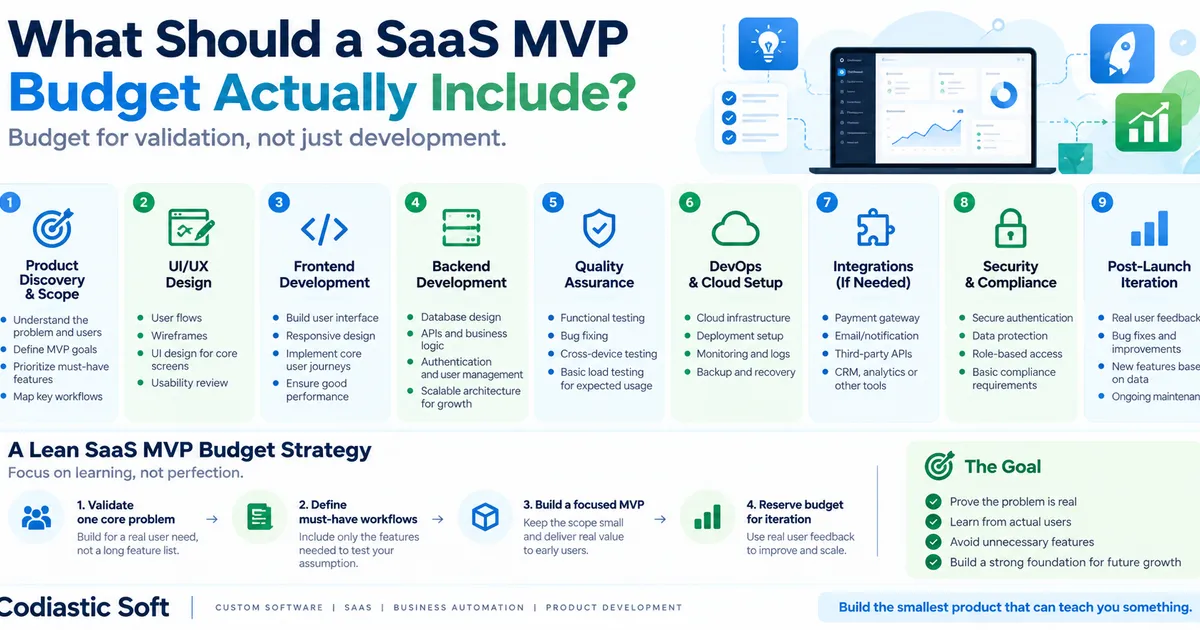
What Should a SaaS MVP Budget Actually Include?
Read article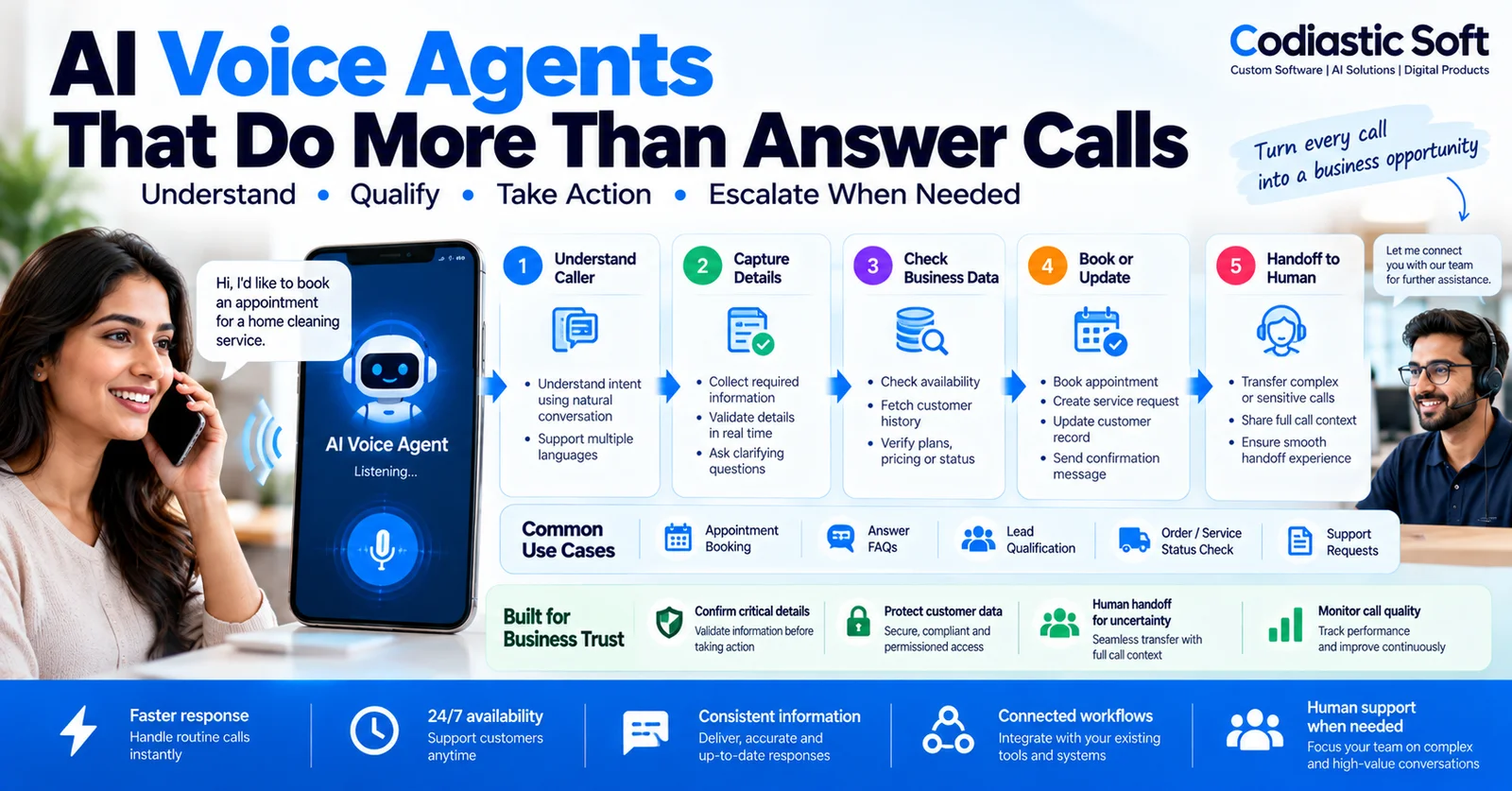
AI & Automation
AI Voice Agents for Business: Use Cases, Integrations and Best Practices
Read article
Product Development & Startups