
AI Voice Agents for Business: Use Cases, Integrations and Best Practices
AI voice agents can handle routine calls and connect conversations to real business workflows. Learn the use cases, integrations, safeguards, and metrics that matter.
AI Voice Agents for Business: Use Cases, Integrations and Best Practices
A missed business call can mean a missed appointment, an unqualified enquiry, a delayed service request, or a potential customer choosing a competitor.
For many businesses, handling every call immediately is difficult. Employees may be assisting customers, working in the field, managing appointments, or dealing with other operational responsibilities.
AI voice agents offer another way to handle routine conversations.
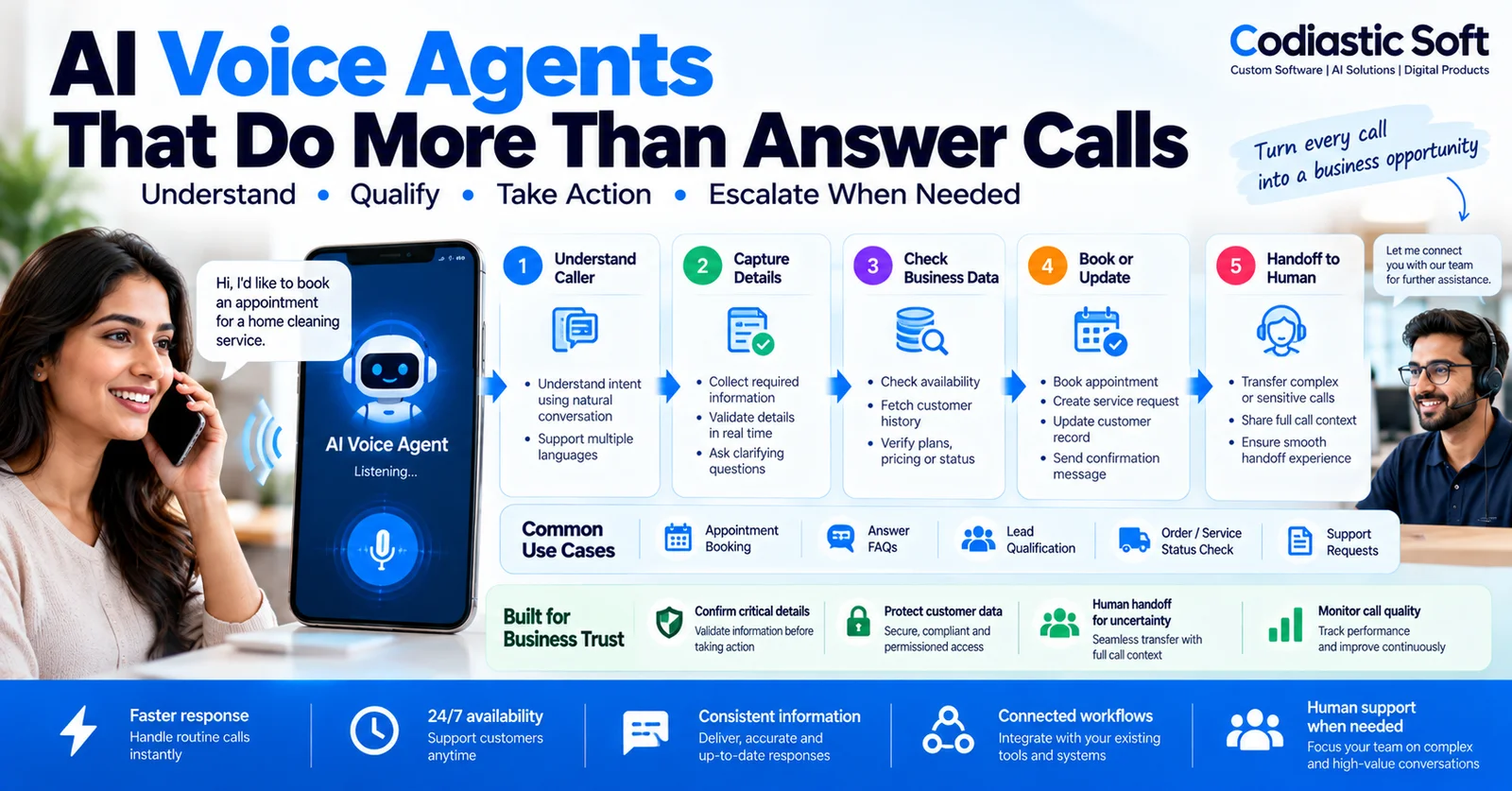
Unlike traditional phone menus that rely on fixed keypad options, an AI voice agent can understand spoken requests, ask relevant follow-up questions, retrieve permitted information, and initiate supported business workflows.
But an effective voice agent needs more than a convincing voice. It must understand the caller, capture information accurately, follow business rules, protect customer data, and recognize when a human should take over.
In this guide, we explore how AI voice agents work, where businesses can use them, how they connect to existing software, and what to consider before deploying one.
What Is an AI Voice Agent?
An AI voice agent is a software system that communicates with people through spoken conversation and performs defined tasks based on the interaction.
Depending on its configuration, it may answer inbound calls, respond to frequently asked questions, qualify enquiries, collect customer details, schedule appointments, check order status, or transfer calls to the appropriate team.
A typical system combines several capabilities:
Speech recognition to convert spoken language into text or structured input.
Language understanding to identify the caller's intent.
Conversation management to decide what information is needed next.
Business-system integrations to retrieve information or execute approved actions.
Text-to-speech technology to generate spoken responses.
Monitoring and escalation logic to handle uncertainty and failures.
Some systems process audio in stages, while others use more direct speech-to-speech models. The appropriate design depends on latency, language support, accuracy, cost, and integration requirements.
The business objective is not simply to make calls sound natural. It is to resolve useful tasks reliably.
Why Businesses Are Exploring AI Voice Agents
1. Calls Arrive When Staff Are Busy
A receptionist may be helping someone at the counter while another caller asks about availability. A service technician may be on-site and unable to answer incoming enquiries.
An AI voice agent can handle supported routine calls during these periods and capture requests that need follow-up.
2. Customers Want Quick Answers
Callers often need basic information, such as operating hours, service availability, appointment procedures, or the status of an existing request.
When the information is reliable and accessible, an AI agent may answer these questions without requiring an employee to handle every interaction.
3. Enquiries Need to Be Qualified
A business receiving many enquiries may need to collect information before assigning them to a sales representative.
A voice agent can ask structured questions about the requested service, location, preferred appointment time, or other relevant details, then route the enquiry appropriately.
4. Routine Calls Follow Repeatable Workflows
Appointment booking, service requests, confirmation calls, and basic status enquiries often follow predictable patterns.
These are good candidates for carefully scoped automation, provided the agent can verify the necessary information and handle exceptions.
Six Practical Use Cases for AI Voice Agents
1. Appointment Booking
Clinics, salons, consultants, repair services, and other appointment-based businesses can use voice agents to handle booking enquiries.
The agent can collect the caller's requirements, check availability through an authorized scheduling system, confirm the selected time, and provide a reference or confirmation message.
A reliable implementation should recheck availability before confirming the booking. Otherwise, two callers could be offered the same slot.
Sensitive healthcare conversations require additional privacy, access, and compliance safeguards appropriate to the setting.
2. Lead Qualification for Service Businesses
A voice agent can ask prospective customers a small set of relevant questions before passing the enquiry to a sales team.
For example, a home-service business may need the caller's service requirement, location, preferred date, and a short description of the issue.
The agent can create a lead record and route it to the right team.
It should avoid making unsupported promises about prices, availability, or service eligibility.
3. Frequently Asked Questions
Businesses can use an agent to answer approved questions about services, operating hours, appointment policies, and common procedures.
The answers should come from a maintained knowledge source rather than assumptions generated during the conversation.
When information is unavailable or ambiguous, the agent should acknowledge the limitation and offer an appropriate handoff.
4. Order and Service Status
A caller may want to know whether an order has shipped, an appointment is confirmed, or a service request has been assigned.
With suitable authentication and system permissions, the agent can retrieve the current status from the relevant business application.
It should verify the caller's identity appropriately and disclose only information the caller is authorized to receive.
5. Customer Follow-Ups and Reminders
Voice agents can support permitted reminders, confirmations, and follow-ups.
Examples include confirming an upcoming appointment, reminding a customer about a scheduled service, or requesting confirmation that a proposed time still works.
Businesses should respect consent, communication preferences, applicable calling regulations, and opt-out requirements. Automated outreach should not become unsolicited or intrusive.
6. After-Hours Call Handling
When a business is closed, a voice agent can explain opening hours, collect a service request, record a callback preference, or route urgent cases according to a defined policy.
It should not claim that a request has been resolved when it has merely recorded the details.
For urgent or sensitive situations, provide a clear escalation path instead of forcing callers through a long automated conversation.
How an AI Voice Agent Works
A production-ready system typically follows a workflow like this.
Step 1: Receive the Call
The telephony provider routes an incoming call to the voice agent.
The application creates a session and loads the relevant configuration, such as business identity, supported services, opening hours, and permitted actions.
Step 2: Understand the Request
The agent interprets the caller's request and identifies the likely intent.
For example, a caller may want to book an appointment, check an existing request, ask about a service, or speak with a representative.
If the intent is unclear, the agent should ask a short clarifying question instead of guessing.
Step 3: Collect and Verify Information
The agent gathers the details required for the task.
Names, phone numbers, addresses, dates, and email addresses can be difficult to capture accurately in speech. Important details should be repeated or confirmed when errors could affect the outcome.
For example, the agent may repeat an email address slowly and ask the caller to confirm it before saving it.
Step 4: Retrieve Business Information
The agent requests current information from authorized systems.
This might include appointment availability, service coverage, order status, or existing customer records.
The agent should use current system data rather than inventing answers or relying on outdated conversational context.
Step 5: Execute an Approved Action
Depending on its permissions, the system may create a lead, book an appointment, update a service request, or send a confirmation.
Actions should have clear validation rules, permission checks, and duplicate prevention.
Before executing a sensitive or irreversible action, the system may need explicit confirmation from the caller or a human employee.
Step 6: Confirm the Outcome
The agent explains what happened and what the caller should expect next.
If a booking was completed, it can provide the confirmed time. If a request was recorded but still requires staff approval, it should say so clearly.
If the system fails, the agent should communicate the failure honestly and offer a safe next step.
Step 7: Escalate When Necessary
Some requests are too complex, sensitive, or uncertain for automated handling.
The system should transfer the call when required, pass along the conversation summary and collected details, and avoid making the caller repeat everything unnecessarily.
If a live representative is unavailable, the agent can follow a defined callback or message-taking process.
AI Voice Agent vs Traditional IVR
Traditional interactive voice response systems generally guide callers through fixed menus, such as pressing one for sales or two for support.
An AI voice agent can support more flexible spoken requests and follow-up questions.
However, flexibility does not automatically mean greater reliability.
A traditional menu may be more predictable for a simple routing task. A voice agent can be useful when callers express varied requests or need a more conversational interaction.
The right choice depends on call complexity, expected volume, accuracy requirements, accessibility, and cost.
A business can also combine both approaches, using conventional routing for simple cases and AI for supported conversational tasks.
How to Integrate AI Voice Agents With Existing Business Software
The greatest business value often comes from connecting the conversation to systems that already run the business.
CRM and Lead Management
The agent can create a lead, record the enquiry type, attach a call summary, and assign the lead to an appropriate sales representative.
Scheduling Systems
A calendar or booking integration can check availability, create appointments, and retrieve confirmation details.
The system should verify availability again before committing a booking.
ERP and Order Management
For suitable use cases, the agent can retrieve authorized order or service information and pass structured requests to the relevant application.
Sensitive changes should require appropriate verification and permissions.
Helpdesk and Service Management
The system can create support tickets, record the issue category, attach a summary, and route the request based on the business's support rules.
Notifications
After a successful action, the system can send a confirmation through an approved SMS, email, or messaging provider.
The notification should reflect the actual result from the business system, not merely the agent's assumption.
Common Challenges and How to Address Them
Incorrect Speech Recognition
Background noise, accents, unfamiliar names, phone numbers, and email addresses can cause errors.
Use confirmation steps for critical fields, structured validation, and targeted testing with representative callers and languages.
Slow Responses
Long pauses make phone conversations frustrating.
Reduce unnecessary model calls, keep tools responsive, use appropriate streaming where supported, and measure end-to-end response latency under realistic conditions.
Hallucinated Information
An AI model may generate a plausible answer that is not supported by current business data.
Restrict answers to approved information sources, validate retrieved data, and ensure the agent admits when it cannot verify a claim.
Integration Failures
An appointment API or CRM may become unavailable during a call.
Provide clear timeout handling, safe retries, duplicate prevention, and alternative paths such as callback requests.
Poor Human Handoffs
An escalation is not complete if the human representative receives no context.
Pass the conversation summary, relevant details, actions attempted, and reason for transfer where technically and legally appropriate.
Privacy and Consent
Calls may contain personal or confidential information.
Use appropriate authentication, permissions, data retention policies, encryption, access logs, and disclosures. Recording and automated outreach should comply with applicable law and customer consent requirements.
How Much Does an AI Voice Agent Cost?
The cost depends on the scope of the workflow and the services involved.
Important factors include:
Inbound versus outbound call requirements.
Call volume and average duration.
Languages and speech quality requirements.
Telephony and AI model pricing.
Business-system integrations.
Authentication and verification requirements.
Human handoff and escalation logic.
Monitoring, analytics, testing, and support.
A basic agent that answers approved FAQs is different from a system that checks availability, books appointments, creates records, and integrates with multiple business applications.
Ongoing costs may include phone numbers, call minutes, model usage, hosting, logging, and maintenance.
A pilot should measure the cost per successfully completed task, not just the cost per minute of conversation.
How to Build an AI Voice Agent MVP
A focused MVP is often the best way to validate whether voice automation will help a business.
Start with one business workflow, such as answering common enquiries and collecting callback requests.
A practical first version may include:
One inbound phone number.
A clearly defined set of supported intents.
An approved knowledge source.
Structured capture and confirmation of important details.
One or two integrations.
A human handoff or callback workflow.
Call logs, failure tracking, and basic analytics.
Test the agent with normal conversations, unclear speech, interruptions, invalid information, unavailable integrations, and requests outside its scope.
Track successful task completion, recognition errors, handoff rate, response latency, caller satisfaction, and total cost.
Expand to additional workflows only when the initial use case performs reliably.
What Should You Measure After Launch?
Do not judge a voice agent only by how human-like it sounds.
Useful metrics include:
Task completion rate: The percentage of eligible calls that successfully complete the intended workflow.
Handoff rate: How frequently callers need a human representative, segmented by intent and reason.
Information accuracy: How often captured details are correct after verification.
Response latency: The time callers wait for the agent to respond.
Caller abandonment: How frequently callers leave before completing the interaction.
Cost per completed task: The total operating cost divided by successfully completed tasks.
Customer satisfaction: Feedback on whether the call was helpful, clear, and easy to complete.
Operational impact: Changes in missed calls, staff workload, lead response time, or appointment completion.
Compare results with the existing process and review failures regularly.
Final Thoughts
AI voice agents can help businesses handle routine calls, capture enquiries, schedule appointments, and connect conversations to operational systems.
But a reliable solution requires more than a voice model.
It needs accurate information capture, verified business data, clear permissions, safe integrations, transparent confirmations, and a smooth path to human support.
The best starting point is a specific workflow with measurable value. Test it with real callers, identify where it fails, and expand only when the results justify it.
At Codiastic Soft, we develop custom software, AI solutions, integrations, and business automation workflows designed around real operational requirements.
If your business wants to explore AI-powered call handling, lead qualification, appointment booking, or voice-driven business workflows, explore our software development services, portfolio, and AI and automation case studies.
The goal is not to automate every conversation. It is to resolve the right conversations reliably and give people better support when they need it.
Frequently Asked Questions
What can an AI voice agent do for a small business?
Depending on the workflow, it can answer common questions, collect enquiries, book appointments, retrieve permitted status information, record callback requests, and route calls to the appropriate team.
Can an AI voice agent book appointments automatically?
Yes, if it is connected to an authorized scheduling system and can verify availability. The application should confirm the booking only after the scheduling system successfully records it.
Can an AI voice agent speak multiple languages?
Some voice platforms support multiple languages, but accuracy and conversational quality vary by language, accent, model, and use case. Test the specific languages and scenarios your customers use.
Can AI voice agents integrate with CRM or ERP software?
They can integrate with many systems through supported APIs or other approved integration methods. The implementation must handle permissions, validation, errors, and duplicate actions safely.
Should AI voice agents replace human support?
Not necessarily. They are often most useful for routine, well-defined tasks. Complex, sensitive, or uncertain cases should have a clear path to a human representative.
How should a business start with AI voice automation?
Choose one repetitive call type, define the desired outcome, identify the required data and system integrations, and create a limited pilot. Measure accuracy, task completion, caller experience, handoff quality, and cost before expanding.

Written by
Codiastic Soft Team
We build websites, mobile apps, SaaS products and automation for growing businesses in Pune and worldwide. About us →
Keep reading
More from our blog
AI & Automation
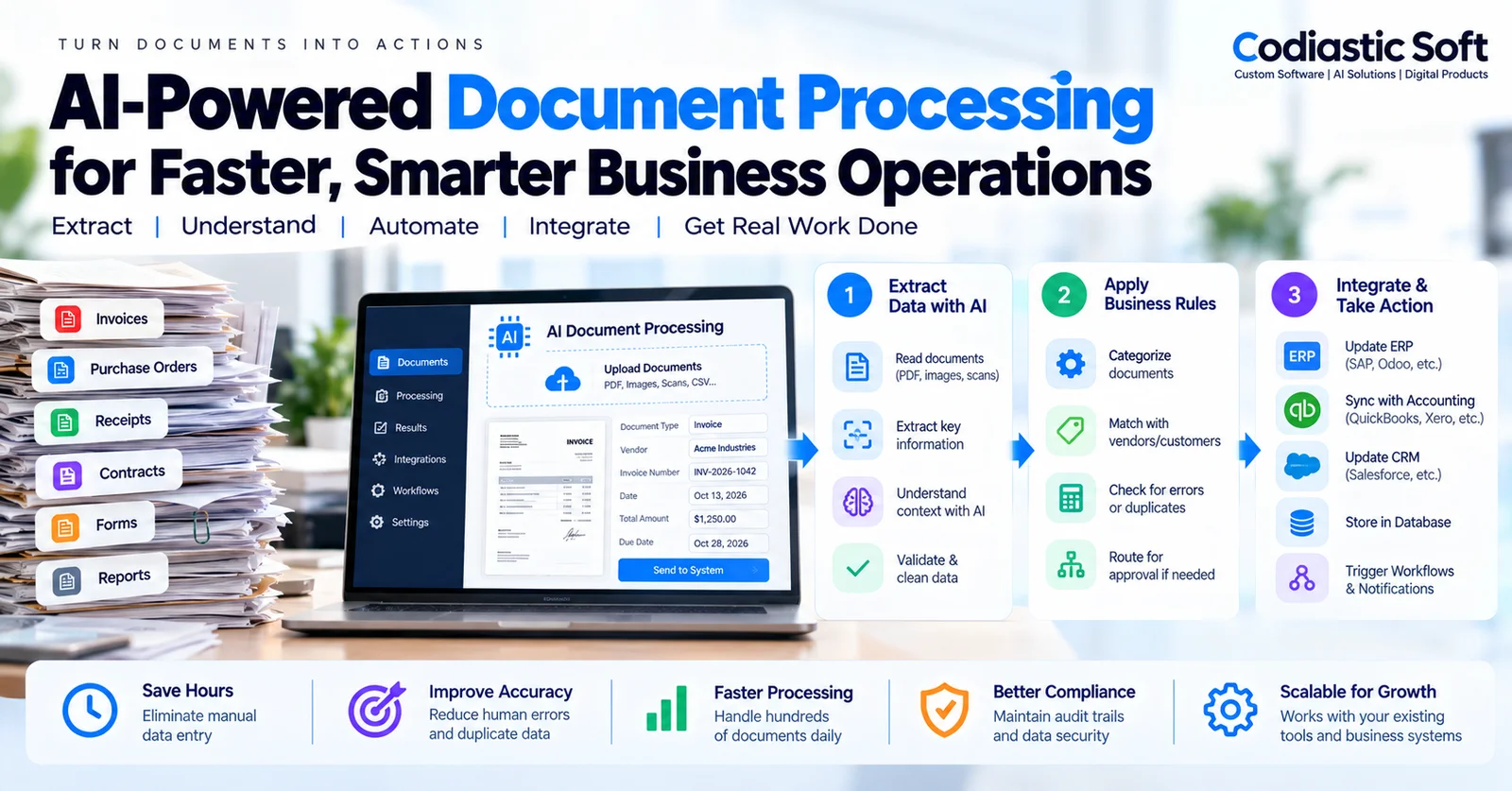
AI Document Processing for Businesses: Automate Invoices, Purchase Orders & Data Entry
Read article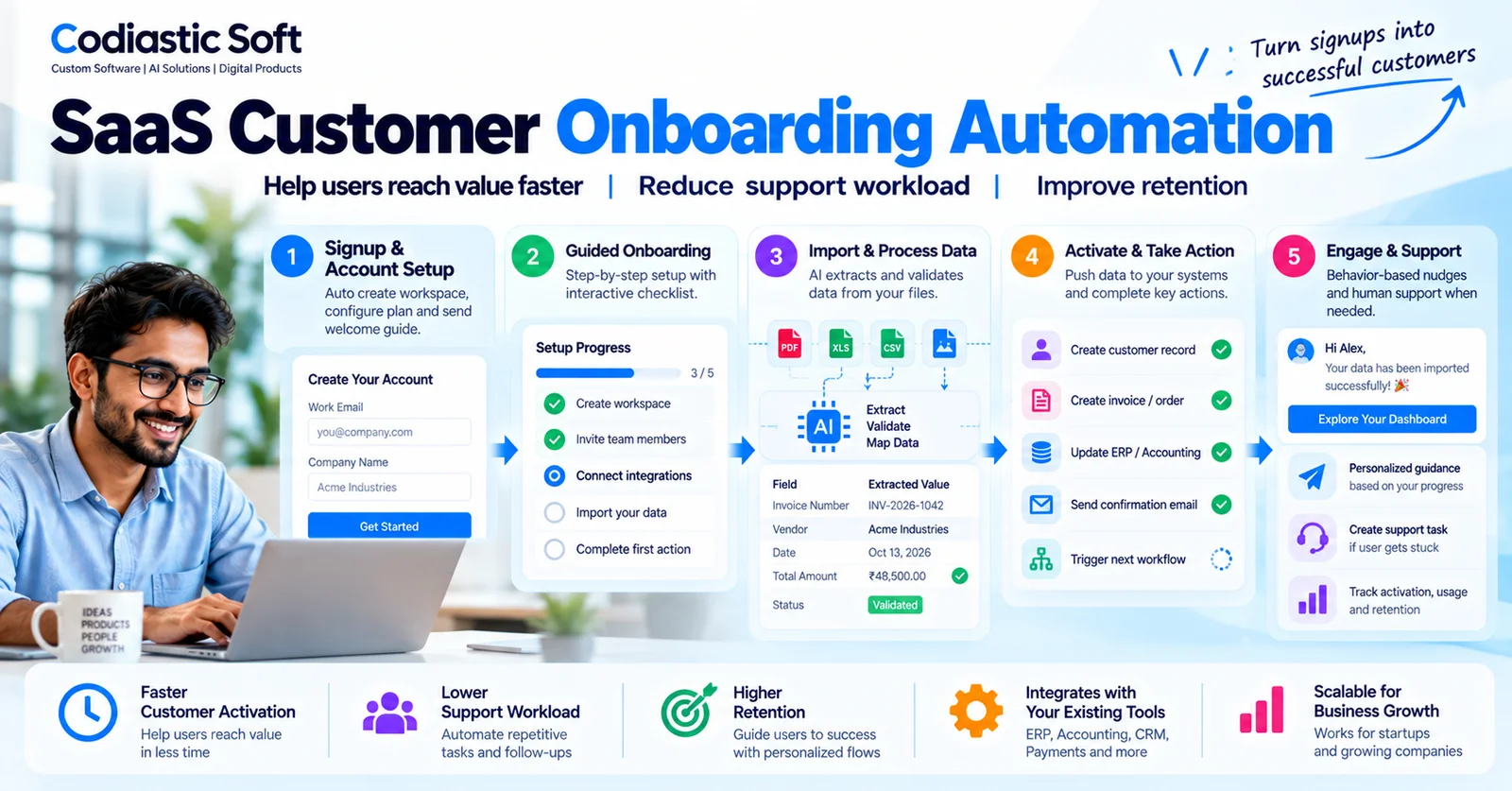
SaaS & Product Development
SaaS Customer Onboarding Automation: Improve Activation Without Adding More Staff
Read article
Product Development & Startups